Explained – What is TikTok?
TikTok is a social media platform centred around creating, sharing, and discovering short videos. Users can watch videos, follow creators, interact through comments and messages, and create their own content using music, filters, effects, and editing tools.
A key feature of TikTok is its highly personalised “For You” feed. TikTok’s algorithm recommends a constant stream of videos based on a user’s interests, activity, and engagement, making it easy for users to discover new content and creators.
How does it work?
Users can create and upload videos on TikTok. Videos recorded directly in the app are typically short-form and can be up to 10 minutes long, while uploaded videos can be up to 60 minutes long.
They can include music, voiceovers, filters, text, visual effects, and trending sounds. TikTok users can interact with content by liking, commenting, sharing, or saving videos, and they can follow creators whose content they enjoy.
The app’s main feed, known as the “For You Page” (FYP), recommends videos based on a user’s activity and interests. Users can also browse content through hashtags, trends, livestreams, or by searching for specific creators or topics. In addition to video sharing, TikTok includes direct messaging, livestreaming, shopping features, and generative AI tools and effects.
Why do teens like it?
TikTok is very popular with Irish teens and can allow them to express themselves creatively, connect with trends, and discover entertaining content. TheRe is a wide variety of content on the platform from comedy and music to sports, gaming, beauty, study tips, and current events.
Many young people like discovering and/or participating in trends, challenges, dances, or memes, and TikTok’s editing tools make it easy to create and personalise content. Through the app users can also follow influencers, celebrities, creators, and communities that match their interests.
What are the age requirements?
According to TikTok’s terms of service, users must be at least 13 years old to create an account. However, users can easily bypass this by entering a false date of birth when signing up.
TikTok also applies additional restrictions to younger users. Accounts for users aged 13–15 are private by default, and some features such as direct messaging are restricted for younger teens. For these to apply users must have signed up with the correct date of birth.
What are the key features?
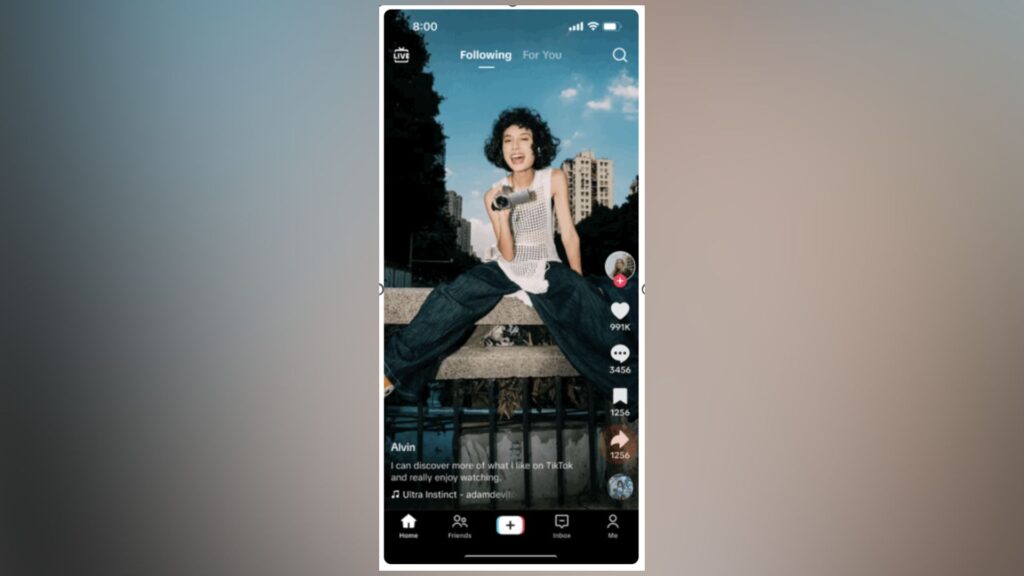
For You Page (FYP)
The For You Page (FYP) is TikTok’s personalised content feed and the main screen users see when they open the app. Instead of mainly showing content from accounts a user follows, the FYP uses TikTok’s algorithm to recommend videos based on a user’s interests and interactions on the platform. The more a user likes, comments on, shares, or engages with certain types of content, the more tailored their feed becomes over time. This can help users discover new creators, trends, and communities, but it can also mean they are shown more of the same types of content repeatedly.
Following Feed
The Following Feed shows videos from creators and accounts a user chooses to follow. This allows users to keep up with friends, influencers, celebrities, and favourite creators.
Video Creation Tools
TikTok provides built-in tools for recording, editing, and enhancing videos. Users can add music, filters, text, transitions, voice effects, captions, stickers, and visual effects.
Sounds and Music
Users can add licensed music clips, trending sounds, or original audio to videos. Many trends and challenges are built around popular sounds.
Duet and Stitch
Duet allows users to create a split-screen response alongside another user’s video. Stitch allows users to clip and reuse part of another creator’s video in their own content. These features allow for collaboration and participation in trends.
Live
TikTok Live allows users to livestream to followers. During livestreams, viewers can comment and interact in real time. Some creators can also receive virtual gifts from viewers.
Direct Messaging
TikTok includes private messaging features that allow users to send text, videos, emojis, and links to friends or mutual followers. Direct messaging is restricted for younger users, provided that the user has registered with their correct date of birth.
Filters and Effects
Filters and effects allow users to alter the appearance of videos using augmented reality (AR), animations, beauty filters, and visual effects. These can enhance creativity and entertainment but may also influence appearance and body image expectations.
TikTok Shop
TikTok Shop allows brands and creators to promote and sell products directly through videos and livestreams. Users can browse and purchase products within the app.
AI Features
TikTok includes a growing number of AI-powered features, including AI effects, filters, captions, recommendations, and content creation tools. Some AI-generated content may be difficult to distinguish from real content.
What are the safety features?
Age based protections
TikTok applies additional safety protections to teen accounts. For users aged 13–15, accounts are private by default, comments are more restricted, and direct messaging is unavailable, although some privacy and interaction settings can be changed by users. For older teens, TikTok limits who can message them and who can download or remix their videos.
TikTok also prompts users with screen time reminders, default wellbeing settings for teens, and restrictions on some types of advertising. For these protections to apply, users must provide their correct age during sign-up.
Reporting and blocking tools
Users can report videos, comments, livestreams, or accounts that breach TikTok’s Community Guidelines. Users can also block accounts to prevent further contact or interaction.
Family Pairing
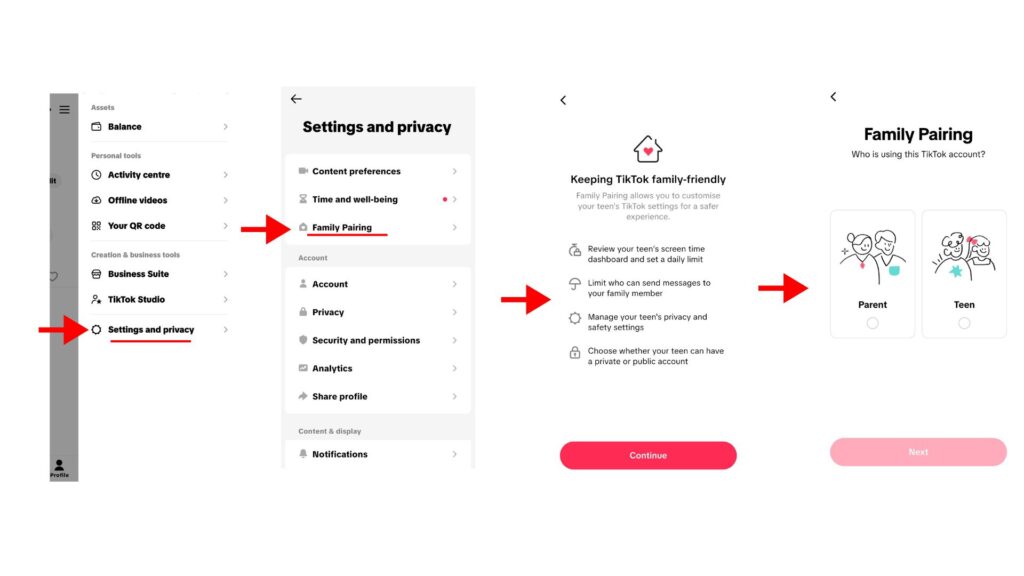
TikTok’s Family Pairing allows parents and carers to link their account with their child’s account to manage safety settings. Through Family Pairing, parents can set screen time limits, restrict direct messaging, filter keywords, manage content visibility, and enable restricted mode.
What are the potential risks?
- Platform design features
- TikTok’s personalised video feed is designed to keep users engaged for long periods of time. The continuous stream of recommended content can make it difficult for young people to stop scrolling .Time spent watching videos can accumulate quickly, often without the child being fully aware of how much time elapsed.
- Inappropriate or harmful content
- Users may encounter videos that are inappropriate, misleading, or harmful. Harmful trends or challenges can also spread quickly. While parental controls or TikTok’s age-based protections can be helpful to reduce the risk, there is no guarantee that they won’t encounter harmful or inappropriate content. It is important to speak to your child about what content they are watching, and what to do if they encounter content that bothers or upsets them.
- Misinformation and manipulated content
- There is the potential for young people to be exposed to misinformation or misleading content presented in entertaining or persuasive ways. AI-generated or edited content may also make it difficult to tell what is real.
- Bullying and harassment
- There is the potential for users to encounter bullying, negative comments, or harassment through posts, comments, or direct messages. Public engagement features, such as likes, shares, and follower counts, can also contribute to pressure around appearance, popularity, and online validation.
- Contact from strangers
- Public accounts may receive messages, comments, or follow requests from strangers. Teens may also feel pressure to interact with people they do not know offline.
- Pressure to compare and perform
- TikTok’s focus on trends, popularity, likes, and appearance can create pressure to gain views or approval online. Some young people may compare themselves to influencers or edited content, which could affect their confidence and wellbeing.
Tips for parents
Get to know the app
Taking time to understand how TikTok works can help you support your child to use it safely and responsibly. Explore the app together and talk about the types of content your child enjoys watching and creating and understand the parental controls available to help support you.
Have regular conversations
Regular conversations are one of the best ways to support your child online. Ask them what they enjoy about TikTok, which creators they follow, and what type of content they like. This can help you understand what they like about the app, the issues they may come across, and provides an opportunity to remind them that they can talk to you if something upsets or bothers them.
Review privacy settings together:
Check privacy settings with your child and discuss who can see their videos, comment on posts, send messages, or download their content and remind them of the importance of not sharing personal information
Help your child understand blocking and reporting tools, and to use them if something upsets or bothers them to them to block accounts or report users or inappropriate content, and remind them to come talk to you if they encounter something that upsets or bothers them
Talk about algorithms and online influence:
Help your child understand that TikTok’s algorithm and design features aim to keep users watching and may repeatedly show similar types of content. Encourage critical thinking about trends, influencers, advertising, and information they see. Remind them how algorithms can lead users into “rabbit holes” or narrow views of topics and encourage them to seek out a broad range of perspectives and positive, healthy content. Learn more in our Explainers to Online Algorithms and How to reset your algorithm.
Encourage a healthy balance:
TikTok can be highly engaging, so it is important to encourage healthy habits, routines, and regular breaks. Support your child in maintaining a healthy balance between online and offline activities.
Useful Resources
The Webwise Parents Hub has advice from experts on key online safety topics; Explainer Guides; Talking Points; How-To Guides; and free resources.
Talking to your child about online safety
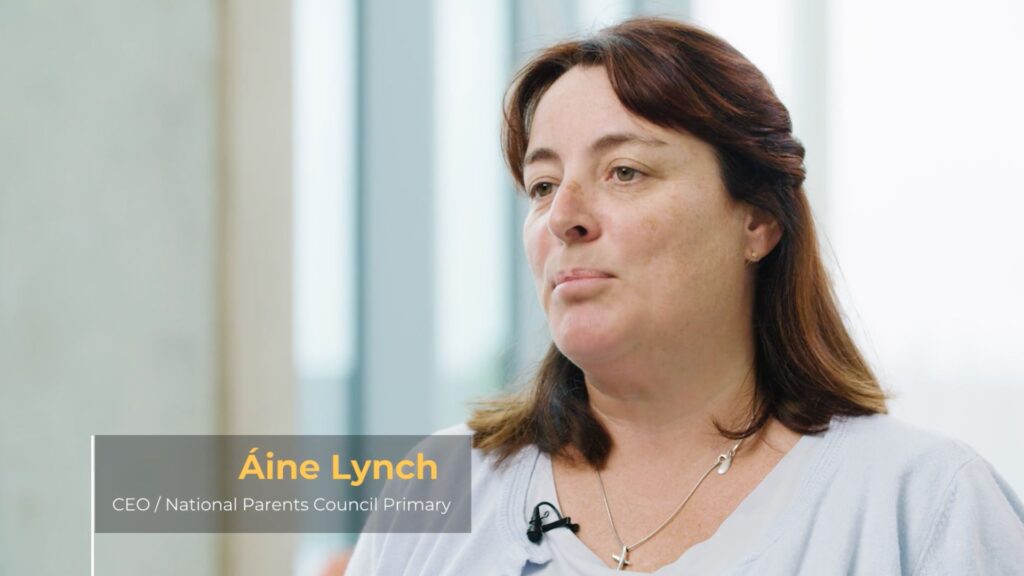
Aine Lynch, CEO National Parents Council, has practical advice and guidance on talking to your child about being safe online.
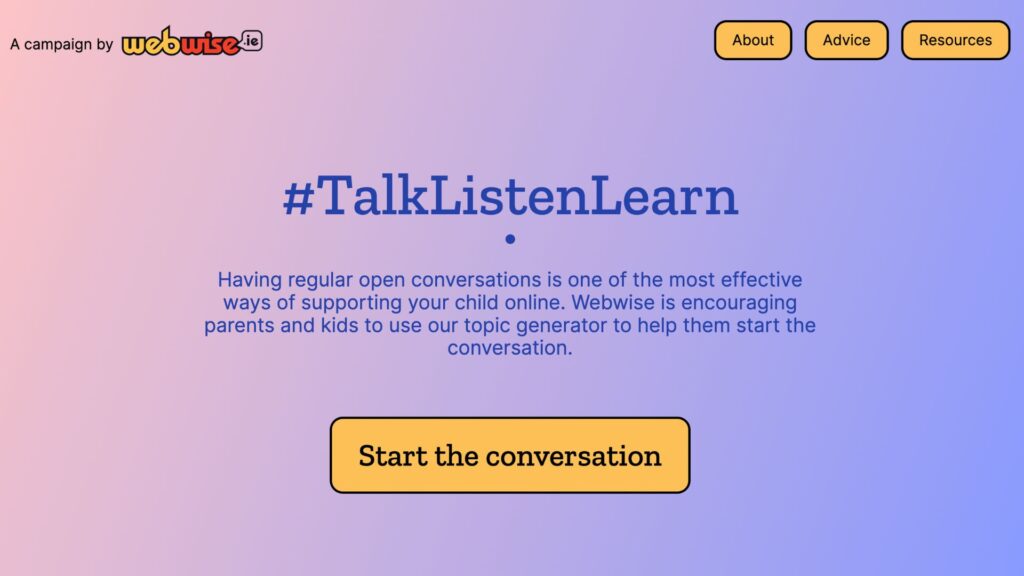
Talk Listen Learn Topic Generator
The Webwise Talk Listen Learn Topic Generator is a fun way to begin conversations with your family about the benefits and challenges of being online.
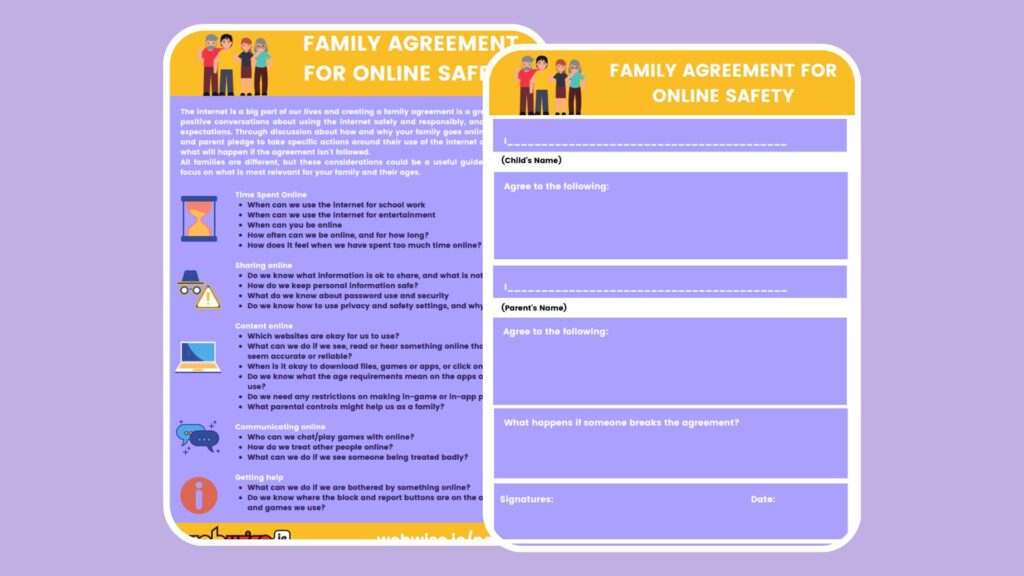
Every family is different, and creating a Family Agreement is a great way to agree rules together about how you as a family use the Internet and technology.
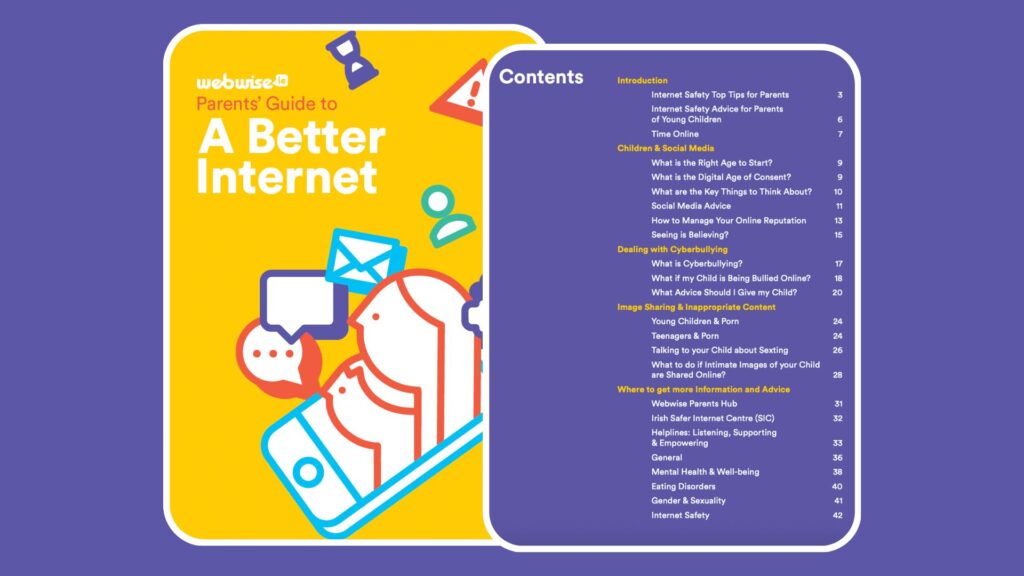
A Parents Guide to A Better Internet
The Webwise online safety booklet for parents has advice and guidance on key topics for parents of children of all ages.
Generative AI is increasingly part of everyday life. This guide, developed in collaboration with the ADAPT Centre and the National Parents Council, has practical guidance to help families navigate GenAI.