Explained: What is Instagram?

Instagram is a popular social media platform generally focussed on sharing photos, videos, and messages. Users can post content to their profile, share temporary updates through Stories, create short-form videos called Reels, and communicate through direct messages.
Like many online platforms, a key feature of Instagram is its personalised content recommendations. Users see content from accounts they follow as well as suggested posts, videos, and creators based on their interests and activity on the platform.
How does it work?
Users create an Instagram account and can share photos, videos, Stories, Reels, and Instants with their followers or to the wider Instagram community, depending on their privacy settings. Users can follow other people including friends, creators, celebrities, brands, and organisations, and interact with content by liking, commenting, saving, or sharing posts. Instagram also includes private messaging, group chats, livestreaming, and creative tools such as filters and effects.
Instagram uses algorithms to personalise the content a user sees, so in addition to posts from accounts they follow, users are shown recommended content through features such as Reels and the Explore page. These recommendations can be based on the accounts they engage with and the content they watch. Instagram also includes features such as Stories, which disappear after 24 hours, and Instants, which encourage users to share more spontaneous photos with friends.
Why do teens like it?
Instagram is popular with many young people because it can combine social connection, entertainment, creativity, and self-expression. It allows teens to stay in touch with friends, share updates about their lives, and explore content related to their interests. The platform offers a wide range of content, including sport, music, fashion, gaming, fitness, travel, comedy, and current events.
Young people can follow influencers, celebrities, sports teams, and other online communities, as well as discover new trends and interests. Features such as messaging, group chats, Stories, and Instants also allow users to connect and interact with others.
What are the age requirements?
According to Instagram’s terms of service, users must be at least 13 years old to create an account. Some users may enter an incorrect date of birth when signing up, and although Instagram uses age checks to help identify inaccurate age information, it may not be detected always be detected.
Instagram Teen Accounts are for users under 18, and include additional protections such as private accounts by default, restrictions on who can contact them, and limits on the type of content they are recommended.
What are the key features?
Feed
The Feed is the main home screen where users see posts from accounts they follow. Users can like, comment on, save, and share posts.
Stories
Stories are photos or videos that disappear after 24 hours. Users can add text, stickers, music, polls, quizzes, links, and other interactive features. Stories are often used to share everyday updates without permanently posting them to a profile.
Reels
Reels are short-form videos up to 90 seconds in length. They can be created within the Instagram app or uploaded to it.They can feature a range of content from trends and tutorials, to influencer content.
Explore Page
The Explore page helps users discover new content, creators, and interests based on their activity. Recommendations are personalised by Instagram’s algorithms and can introduce users to content beyond the accounts they already follow.
Direct Messages (DMs)
Instagram’s messaging feature allows users to send private messages, photos, videos, voice notes, links, and disappearing content. Users can also create group chats and make voice or video calls.
Live
Instagram Live allows users to broadcast video in real time. Followers can watch, comment, and interact during livestreams.
Instants
Instants are temporary photos that are sent to other users through Instagram. To create an Instant, users take a photo using Instagram’s camera and choose who to send it to. The photo is delivered privately rather than being posted to a profile, Story, or Feed. Recipients can only open the photo once, and if it is not opened, it expires after 24 hours. Recipients can react to or reply to an Instant through Instagram’s messaging system, and the sender may retain access to their own sent Instants in a private archive. The feature works in a similar way to Snapchat’s disappearing messages, but within Instagram’s system.
What are the safety features?
For users aged 13-17 Instagram automatically places them into Teen Accounts with additional protections which include:
- Accounts that are private by default. Users who are under 16 need parental permission to change their accounts to public, while users aged 16-17 can change this setting themselves unless are being supervised by a parent or guardian in the Instagram Family Centre.
- Users can only receive messages from people that they follow
- Limits on who can tag or mention the teen.
- Restrictions on potentially inappropriate or sensitive content
- Screentime reminders and sleep-mode features
Teen Accounts are designed to be applied automatically to users identified by Instagram as being under 18, based on the age information available to the platform. They do not require a parent or guardian to set up or manage the account, but parents can choose to enable supervision for additional oversight and controls.
Family Centre
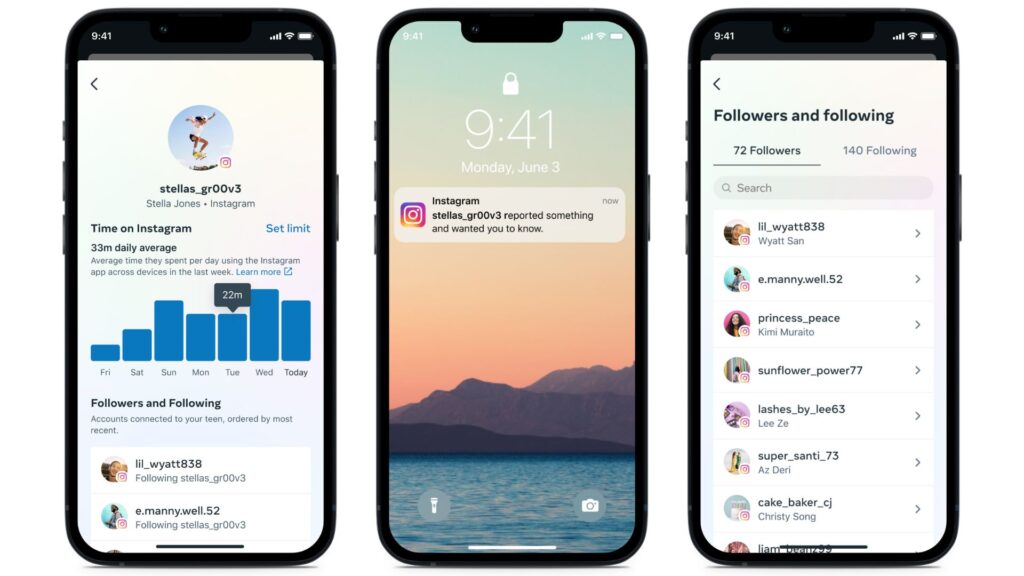
Instagram Supervision is an optional set of parental control tools accessed through Family Centre, which is a built-in area within the Instagram app. Setting it up requires agreement from both the teen and the parent or guardian. Either can send an invitation, but it must be accepted by both before supervision begins.
It allows parents and guardians to view information about their teen’s Instagram use, such as:
- time spent on the app
- recent messaging activity (but not message content)
- set controls including daily time limits and scheduled breaks.
Reporting and Blocking
Users can report content, comments, messages, or accounts that violate Instagram’s Community Standards. They can also block, restrict, or mute other users.
What are the potential risks?
Like many apps and platforms, there are potential risks that parents and carers should be aware of:
Platform design and excessive scrolling
Like many social media platforms, Instagram is designed around continuous content discovery through features such as the personalised feed, Stories, Reels, and infinite scrolling. These features make it easy to move from one piece of content to the next, which can encourage frequent checking and make it harder for users to manage how long they spend on the platform. This is shaped further by algorithms, which personalise content based on user behaviour such as likes, watches, saves, and searches. While this can improve relevance, it can also lead to rabbit holes, where users are shown increasingly similar or extreme versions of content.
Comparison and self-image
Instagram content can have a strong emphasis on photos, videos, influencers, and self-presentation. Young people may compare themselves to influencers, celebrities, peers, or highly edited content. Beauty filters and curated content can contribute to unrealistic expectations around appearance, lifestyle, and popularity, while metrics such as likes, comments, and followers can increase pressure around social approval and comparison based on perceived popularity.
Inappropriate or harmful content
Users may encounter content that is inappropriate or harmful. While Instagram uses moderation tools and age-based protections, there is no guarantee that young people will not encounter upsetting or unsuitable content.
Misinformation and manipulated content
Young people may be exposed to misinformation, misleading advice, edited images, and AI-generated content that can be difficult to distinguish from authentic information.
Tips for parents

Get to know the app
Taking time to understand how Instagram works can help you support your child to use it safely and responsibly. Explore the app together and talk about the features they use most often.
Have regular open conversations
Regular conversations are one of the best ways to support your child online. Ask them about the accounts they follow, the content they enjoy, and how they use features such as Stories, Reels, and messaging. This can help you understand their experiences online and provide opportunities to talk about any issues they encounter.
Review privacy settings together
Check privacy settings with your child and discuss who can see their content, who can contact them, and what information they share online. Remind them of the importance of not sharing personal information.
Help your child understand blocking and reporting tools, and to use them if something upsets or bothers them to them to block accounts or report users or inappropriate content, and remind them to come talk to you if they encounter something that bothers or upsets them.
Talk about edited content and online influence
Help your child understand that many images and videos on Instagram can be edited, filtered, or carefully curated. Encourage critical thinking about influencers, advertising, sponsored content, and the lifestyles portrayed online.
Understanding the algorithm
Help your child understand that Instagram’s algorithm and design features are intended to keep users engaged and may repeatedly surface similar types of content. Encourage them to think critically about trends, influencers, advertising, and the information they encounter online. Explain how algorithms can sometimes lead users into “rabbit holes” or overly narrow viewpoints on certain topics, and support them in actively seeking out a wider range of perspectives and positive, healthy content. Learn more in our Explainers to Online Algorithms and How to reset your algorithm.
Encourage a healthy balance
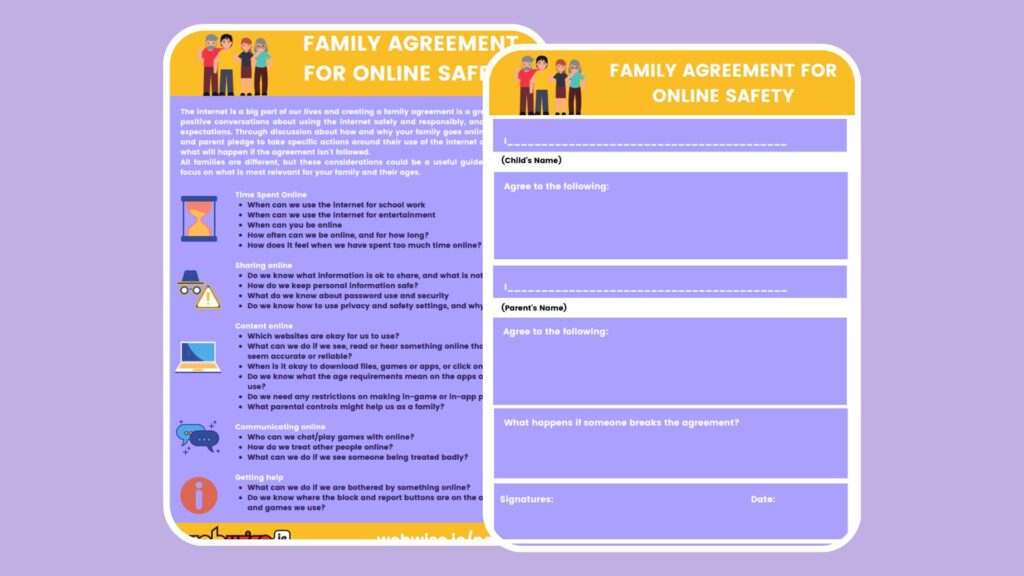
Instagram can be engaging, so it is important to encourage healthy habits, routines, and regular breaks. Support your child in maintaining a healthy balance between online and offline activities. The Webwise Family Agreement Template is a useful resource for helping families agree on rules around internet and device use, and for supporting a healthy balance
Useful Resources
The Webwise Parents Hub has advice from experts on key online safety topics; Explainer Guides; Talking Points; How-To Guides; and free resources.
Talking to your child about online safety
Aine Lynch, CEO National Parents Council, has practical advice and guidance on talking to your child about being safe online.

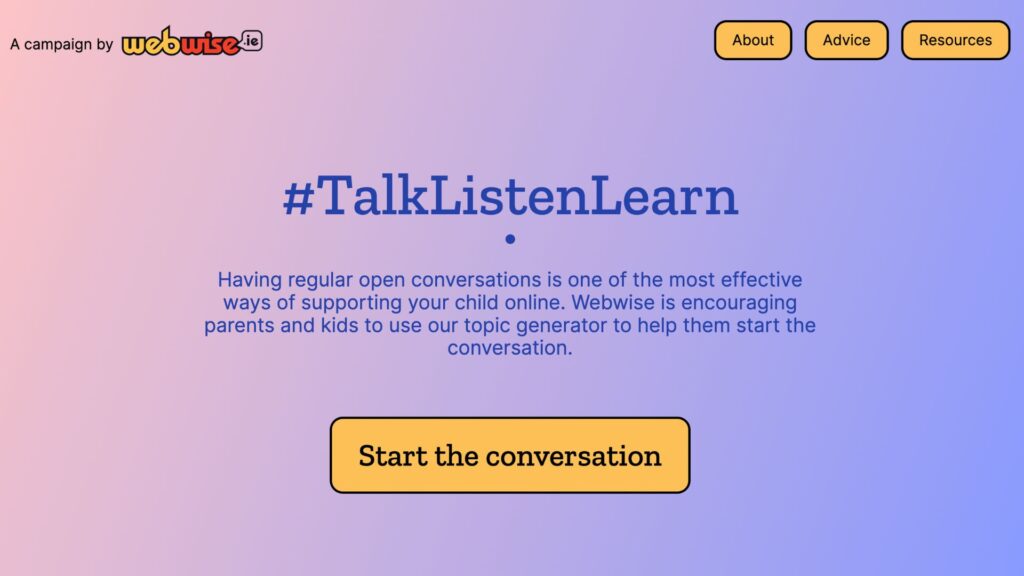
Talk Listen Learn Topic Generator
The Webwise Talk Listen Learn Topic Generator is a fun way to begin conversations with your family about the benefits and challenges of being online.
Every family is different, and creating a Family Agreement is a great way to agree rules together about how you as a family use the Internet and technology.
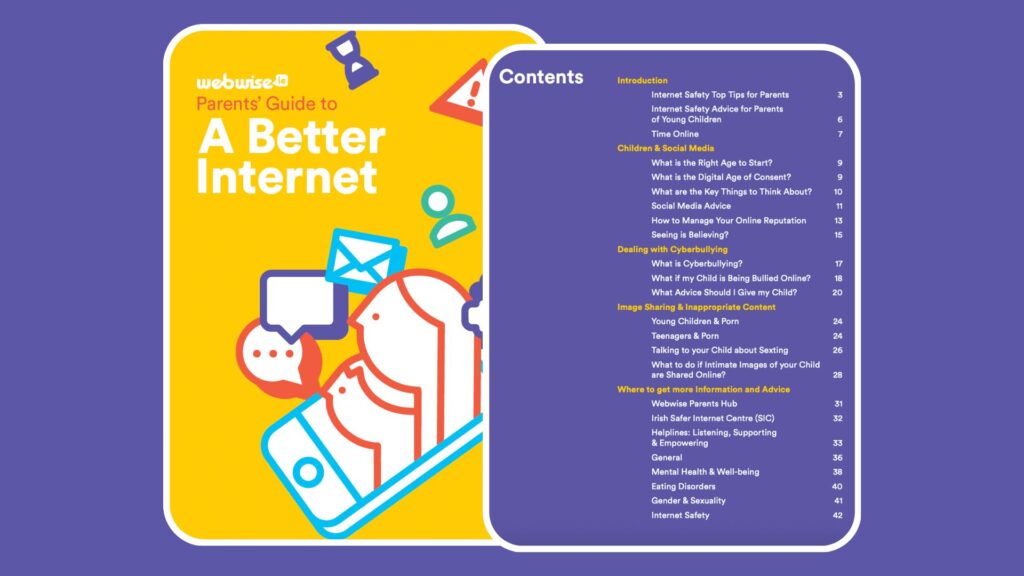
A Parents Guide to A Better Internet
The Webwise online safety booklet for parents has advice and guidance on key topics for parents of children of all ages.
Generative AI is increasingly part of everyday life. This guide, developed in collaboration with the ADAPT Centre and the National Parents Council, has practical guidance to help families navigate GenAI.